The Phomemo D30 review is for shoppers who want a small label maker they can pair with a phone and carry between rooms, classrooms, or work areas.
Its thermal printing, adjustable tape widths, and app-based design tools suit everyday labeling, with monochrome output and a battery that cannot print while charging as key considerations.
Phomemo D30 Review Summary
The quick verdict
4,000+ ratings
Read Amazon ReviewsPhomemo D30
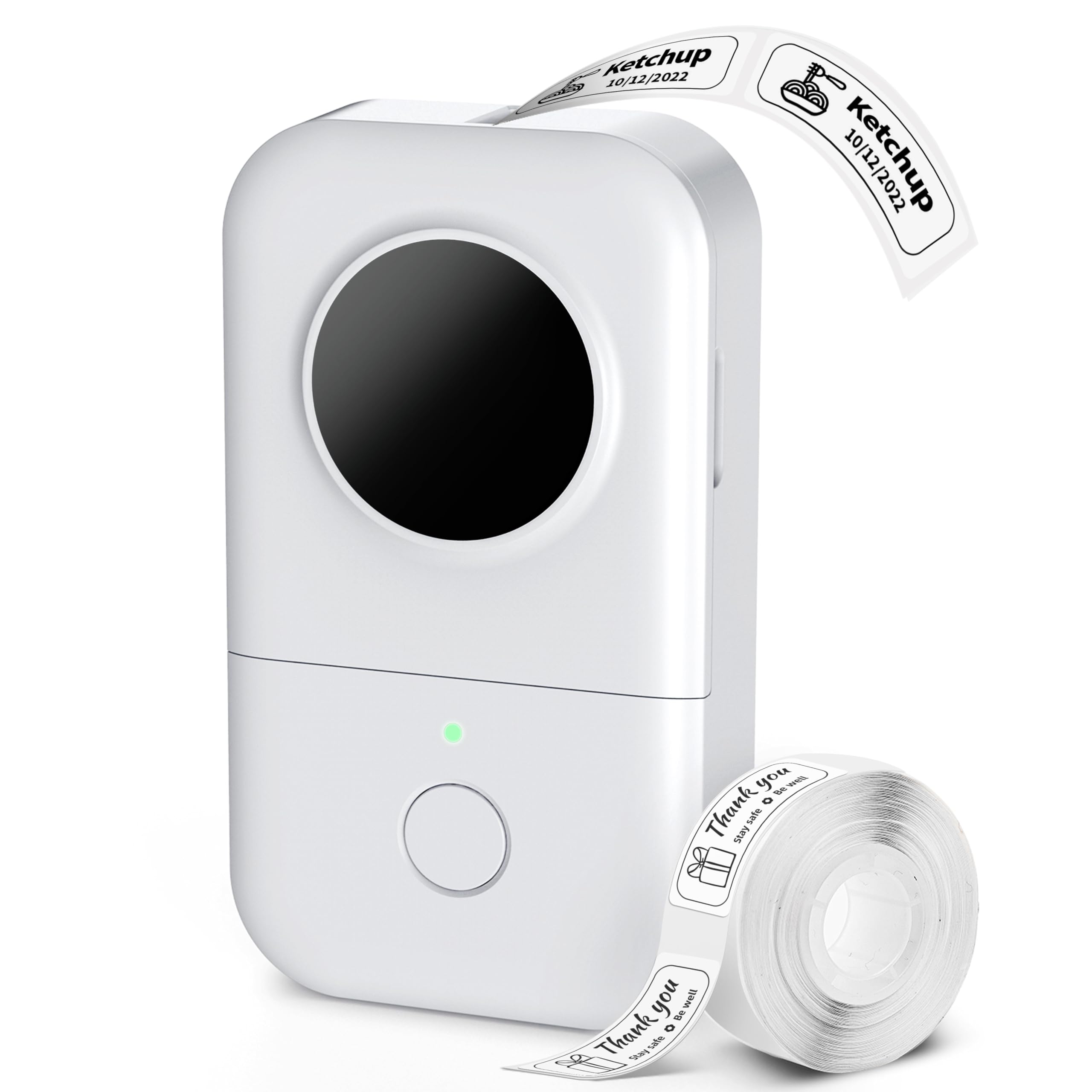
A compact, rechargeable label maker for people who want to create simple labels from a phone at home, school, or a small business.
- Compact, 180 g body intended to fit in a palm or pocket.
- Thermal printing at 203 DPI in black, without ink, toner, or ribbon.
- Bluetooth 4.2 pairing with iOS and Android devices through the Print Master app.
- Compatible with 6–15 mm thermal tape, including die-cut and continuous formats.

Pros
- Small, lightweight design is convenient to carry around the home, classroom, or work area.
- Thermal printing avoids the need for ink, toner, or ribbon.
Consider before buying
- The printer produces black text only; colored effects depend on choosing patterned tape.
- The included 12 × 40 mm labels are aimed at short text, so buyers should check tape width and label format against their intended use.
Read the full review summary
The D30 combines a palm-sized printer with Bluetooth phone control, USB-C charging, and support for thermal tape from 6 to 15 mm wide.
The included roll has 80 pre-cut labels measuring 12 × 40 mm, a format the product describes as best for one to three words.
It may suit people labeling pantry containers, files, cables, classroom materials, or small products who value portability and design flexibility.
The app offers a broad range of fonts, icons, borders, and templates, plus tools such as barcode and QR code generation. Output is black text; patterned tape can add color to the label’s background.
The buying factors
Phomemo D30 Scorecard
Editorial scores reflect listed features and buyer fit; they are not laboratory measurements or customer ratings.
Portability
At 180 g and palm-sized, it is designed to move easily between work areas.
Label design options
The app provides many fonts, icons, borders, and templates, with optional premium additions.
Tape flexibility
It supports die-cut and continuous thermal tapes from 6 to 15 mm wide.
Everyday print usefulness
Black monochrome output and compact label widths fit short organization labels well.
Mobile workflow
Bluetooth phone pairing and app tools support designing and printing without a computer.
Power flexibility
The rechargeable battery offers up to two hours of continuous printing, but the printer cannot print while charging.
Key Features and Specifications of Phomemo D30
- Compact, 180 g body intended to fit in a palm or pocket.
- Thermal printing at 203 DPI in black, without ink, toner, or ribbon.
- Bluetooth 4.2 pairing with iOS and Android devices through the Print Master app.
- Compatible with 6–15 mm thermal tape, including die-cut and continuous formats.
- App tools include fonts, borders, icons, templates, Excel batch import, barcode and QR code generation, and OCR scanning.
- Built-in 1200 mAh battery charges over USB-C; the included package has a cable, quick start guide, and 80 pre-cut labels.
Pros and Cons of Phomemo D30
Pros
- Small, lightweight design is convenient to carry around the home, classroom, or work area.
- Thermal printing avoids the need for ink, toner, or ribbon.
- The app includes many customization options and useful batch and code-generation tools.
- Support for both die-cut and continuous tape gives buyers options for different label tasks.
Consider before buying
- The printer produces black text only; colored effects depend on choosing patterned tape.
- The included 12 × 40 mm labels are aimed at short text, so buyers should check tape width and label format against their intended use.
- It cannot print while charging, which may interrupt a session if the battery runs low.
Who Should Buy Phomemo D30?
Good fit
Consider the D30 if you want a portable label maker for recurring short-label jobs and are comfortable designing from a phone.
Its compact body, rechargeable power, and app library can fit a household, classroom, or small-business workflow where labels are created in different places.
It is a particularly plausible fit for organizing jars, files, cables, plant pots, or small items.
Before buying, check that the available 6–15 mm tape widths and short included label format suit the amount of text and the surfaces you plan to label.
The app’s free core tools may cover common designs, while premium membership is optional for additional design features. If you expect longer print sessions, plan around the battery’s stated limit and the fact that printing pauses while charging.
Who should skip it
Look elsewhere if you need color printing, wider labels, or a workflow that must continue printing while the unit is connected to power.
The D30’s documented output is black, and its tape support is limited to widths up to 15 mm.
It may also be a poor fit if you prefer designing and printing directly from a computer rather than using a Bluetooth-connected phone app.
How the Phomemo D30 Fits Everyday Labeling
A portable phone-based workflow
The D30’s small form and Bluetooth connection are aimed at printing where the organizing happens.
App-based design can be handy for home or classroom tasks, though buyers should make sure using a phone for setup and printing suits their routine.
Choosing tape for the job
Support for die-cut and continuous tape gives some flexibility within the 6–15 mm width range.
The included pre-cut labels measure 12 × 40 mm and are described as optimal for one to three words, so longer names or detailed instructions may call for another compatible format.
Monochrome thermal output
Thermal printing removes ink, toner, and ribbon from the routine, and the listed resolution is 203 DPI. Text prints in black; patterned tape can change the visual backdrop, but it does not make the printer a color-output device.
Battery planning
The built-in 1200 mAh battery is listed for up to two hours of continuous printing, with USB-C charging taking about two to three hours.
Since printing cannot continue during charging, charging ahead of a larger labeling session can help avoid a mid-task pause.
Alternatives to Phomemo D30
No alternative model is recommended here. Compare the design and features that matter to your routine before choosing another option.
Is Phomemo D30 Worth It?
The Phomemo D30 is worth considering if you want a light, phone-controlled thermal label maker for short everyday labels and value app-based customization.
Its tape choices and portable design make it adaptable to small tasks around home, school, or a workbench.
Choose it with realistic expectations: output is black, tape widths top out at 15 mm, and printing stops while charging. Confirm the label format fits your typical text, then plan charging around the sessions you expect to print.
Your review at a glance
4,000+ ratings
Read Amazon ReviewsPhomemo D30
A compact, rechargeable label maker for people who want to create simple labels from a phone at home, school, or a small business.
- Compact, 180 g body intended to fit in a palm or pocket.
- Thermal printing at 203 DPI in black, without ink, toner, or ribbon.
- Bluetooth 4.2 pairing with iOS and Android devices through the Print Master app.
- Compatible with 6–15 mm thermal tape, including die-cut and continuous formats.